From Recording to Insight
Understand every call without listening to it. Each call recording is transcribed, summarized, scored and tagged as soon as the call ends, so QA and compliance teams can find coaching moments, one-sided calls and unhappy callers in seconds. Keyword matches can fire webhooks automatically. And because Avortyx scores intent while calls are still ringing, transcripts are also how you check those scores against what callers actually said.
Every conversation, reviewable
Listen, read or search: each call works all three ways.
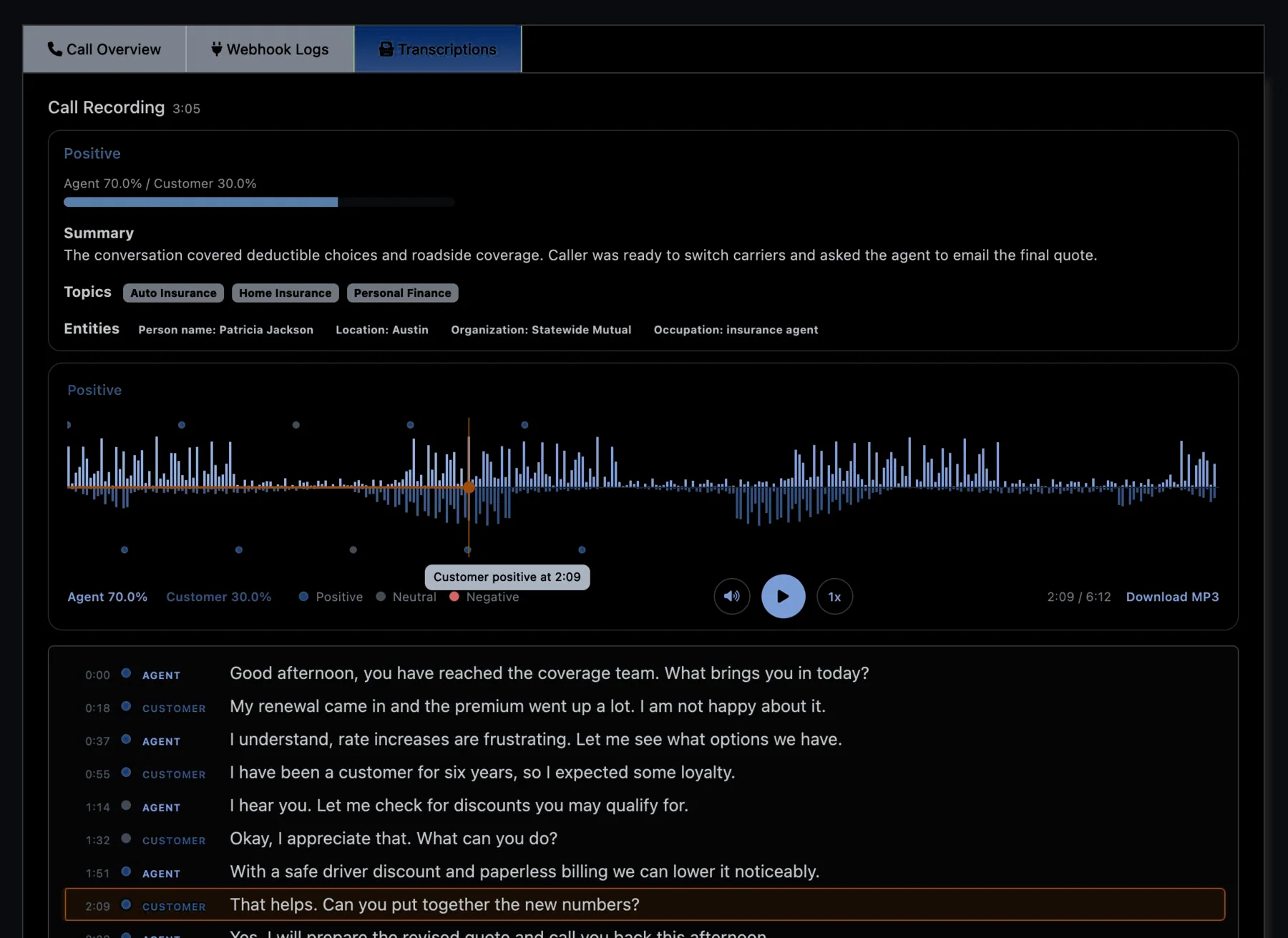
Audio and text, in step. A two-channel waveform with sentiment markers above a timestamped transcript by speaker; click a line and the audio jumps to it.
What AI pulls from each call
- Summaries — a short written recap of the call.
- Sentiment — moment by moment and for the call overall.
- Topics, names and highlights — subjects tagged, people and places picked out, key phrases flagged.
- Language — which language was spoken, detected automatically.
- Talk-time ratio — how much the agent spoke versus the customer.
- A player built for review — agent and customer on separate channels for every call recording, with sentiment markers and click-to-jump.
Search, setup and automation
- Search every word — and narrow by sentiment, offer, agent, call center, language or conversion.
- Set up per offer — choose which AI features run on each offer.
- PII redaction — personal, financial, medical and other categories removed.
- Keyword spotting & webhooks — label calls and set off actions.
- After the call, or any audio — runs automatically after calls, or send any audio file through the REST API.
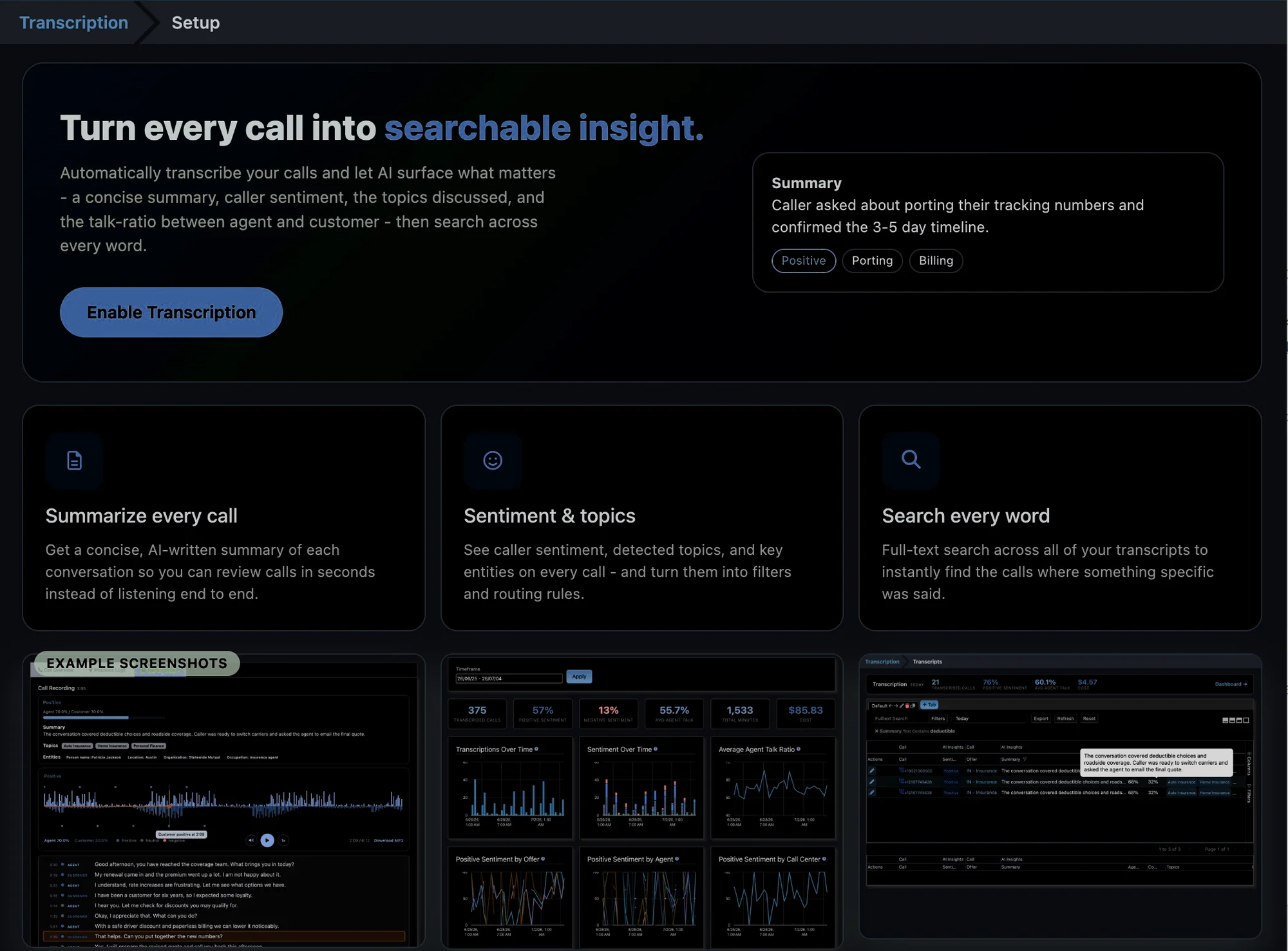
On in one click. Turn transcription on from the setup page and choose the AI features for each offer.
Every transcript, searchable
Anything anyone said, on any call, a search away.
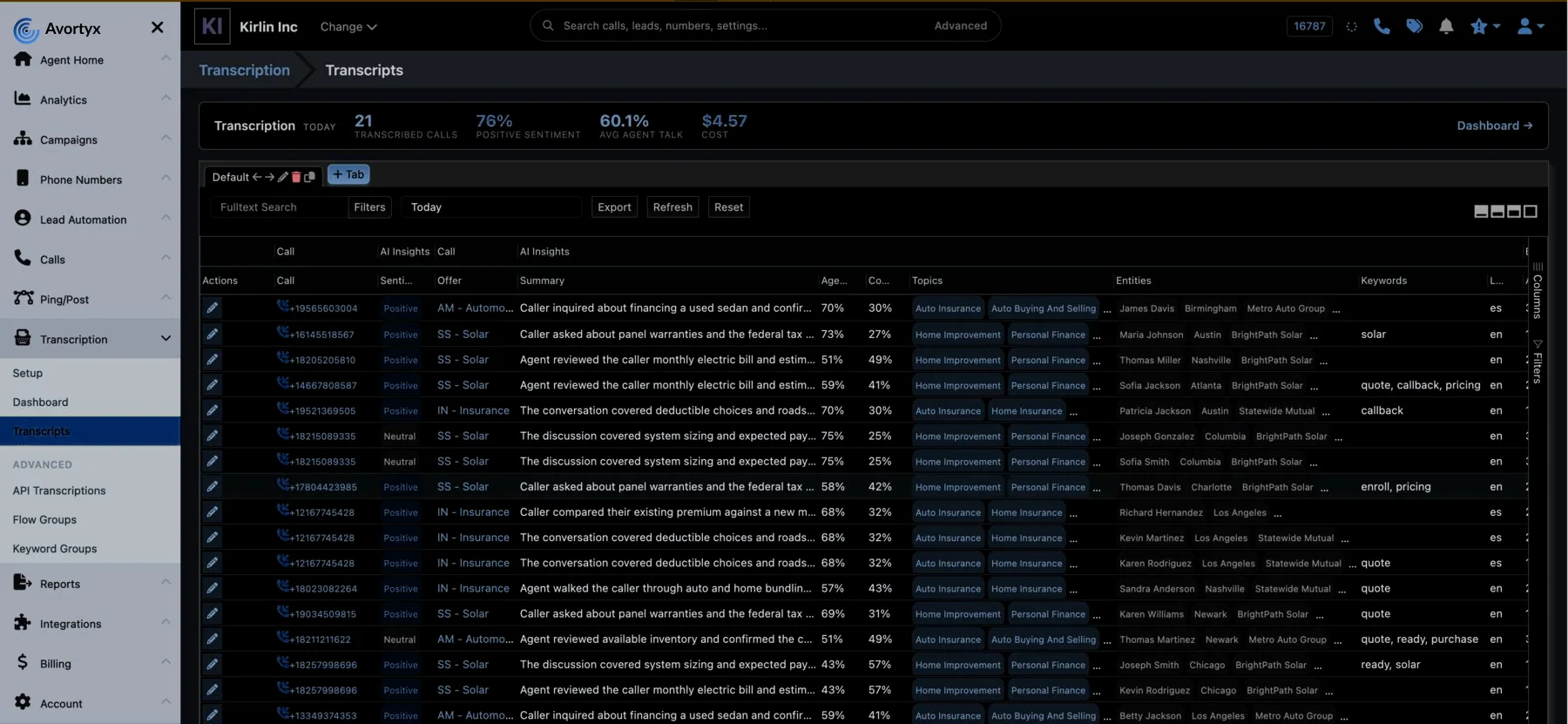
Sort and filter everything. Sentiment, topics, keywords, talk ratio, language and cost, each one a column you can filter and sort.
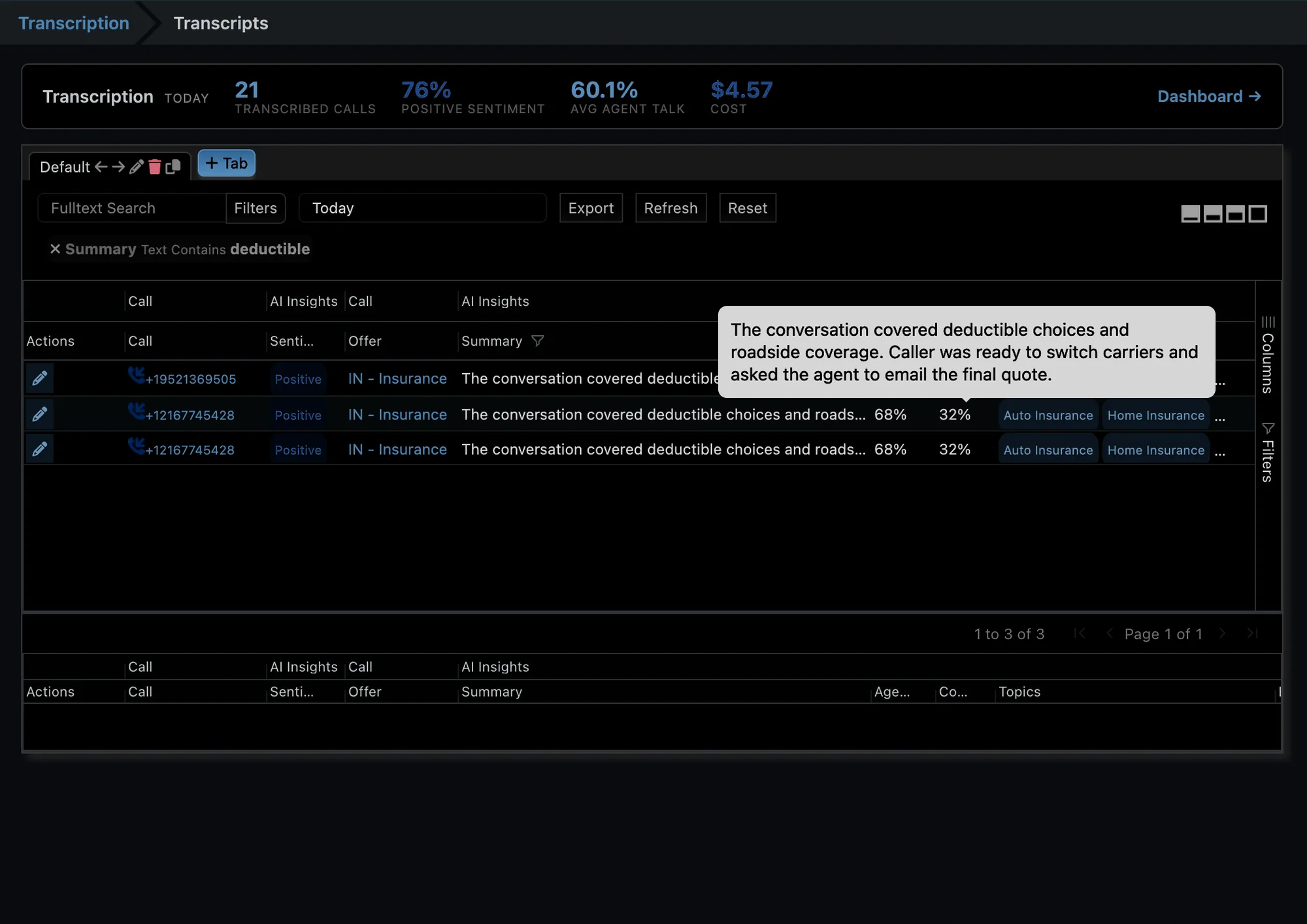
Land on the moment. Search across every call and see each match highlighted in its sentence.
Live analytics
Each transcript joins the dashboard as soon as it is processed, with nothing to export first.
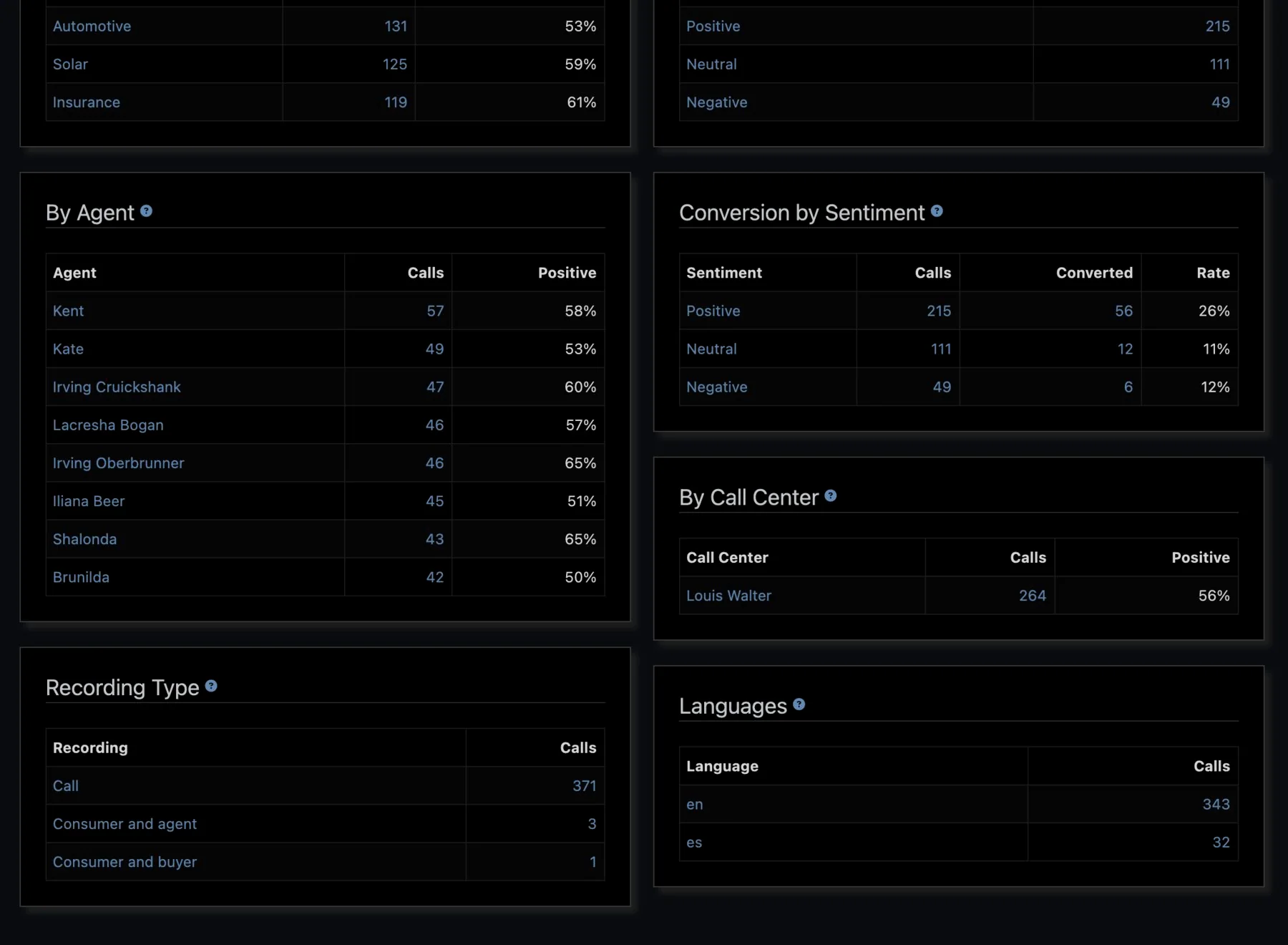
All calls, one view. Volume, sentiment mix, talk ratio, minutes and cost, updating live.
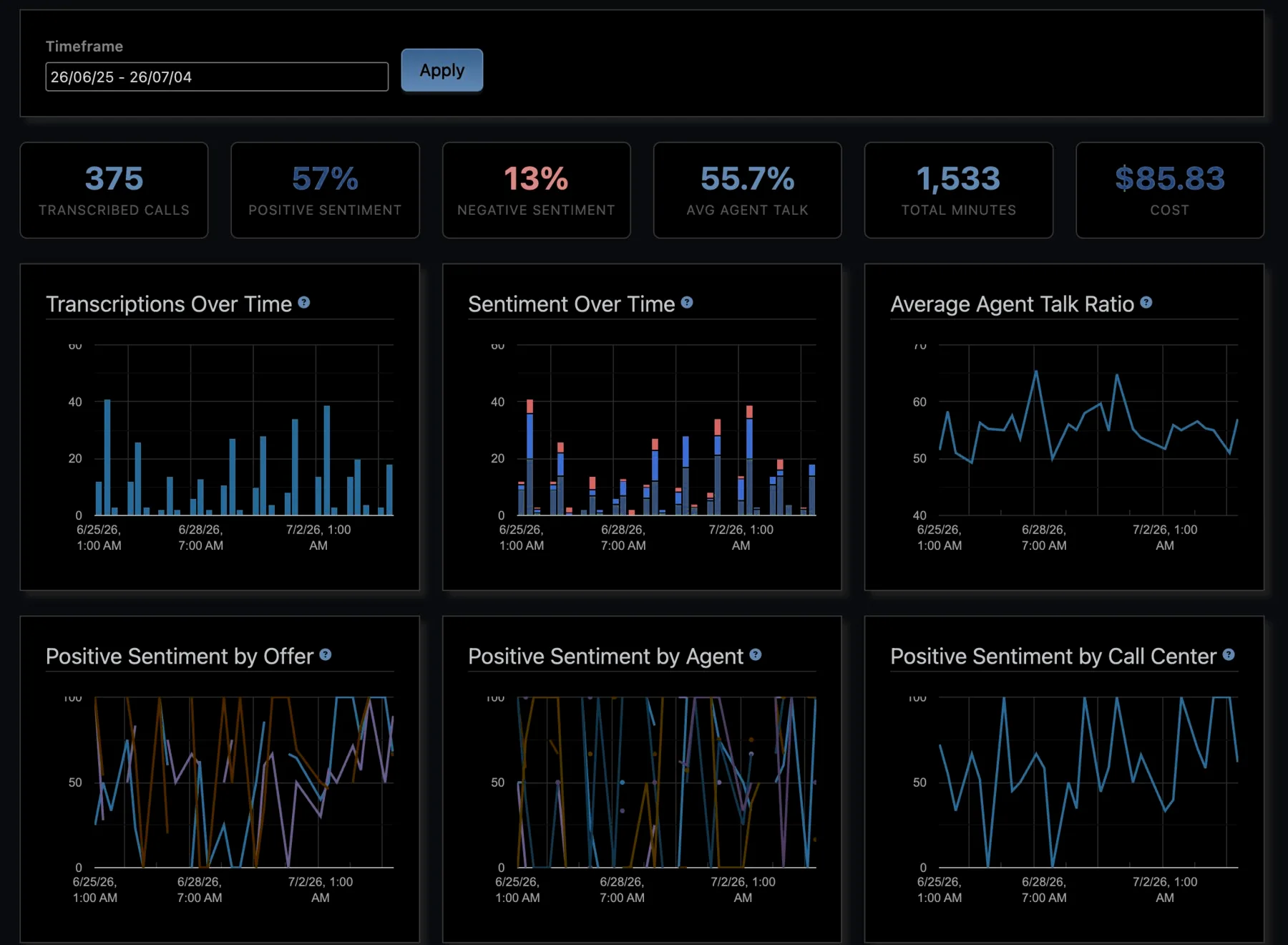
Sentiment over time. How positive calls are trending, by offer, agent and call center.
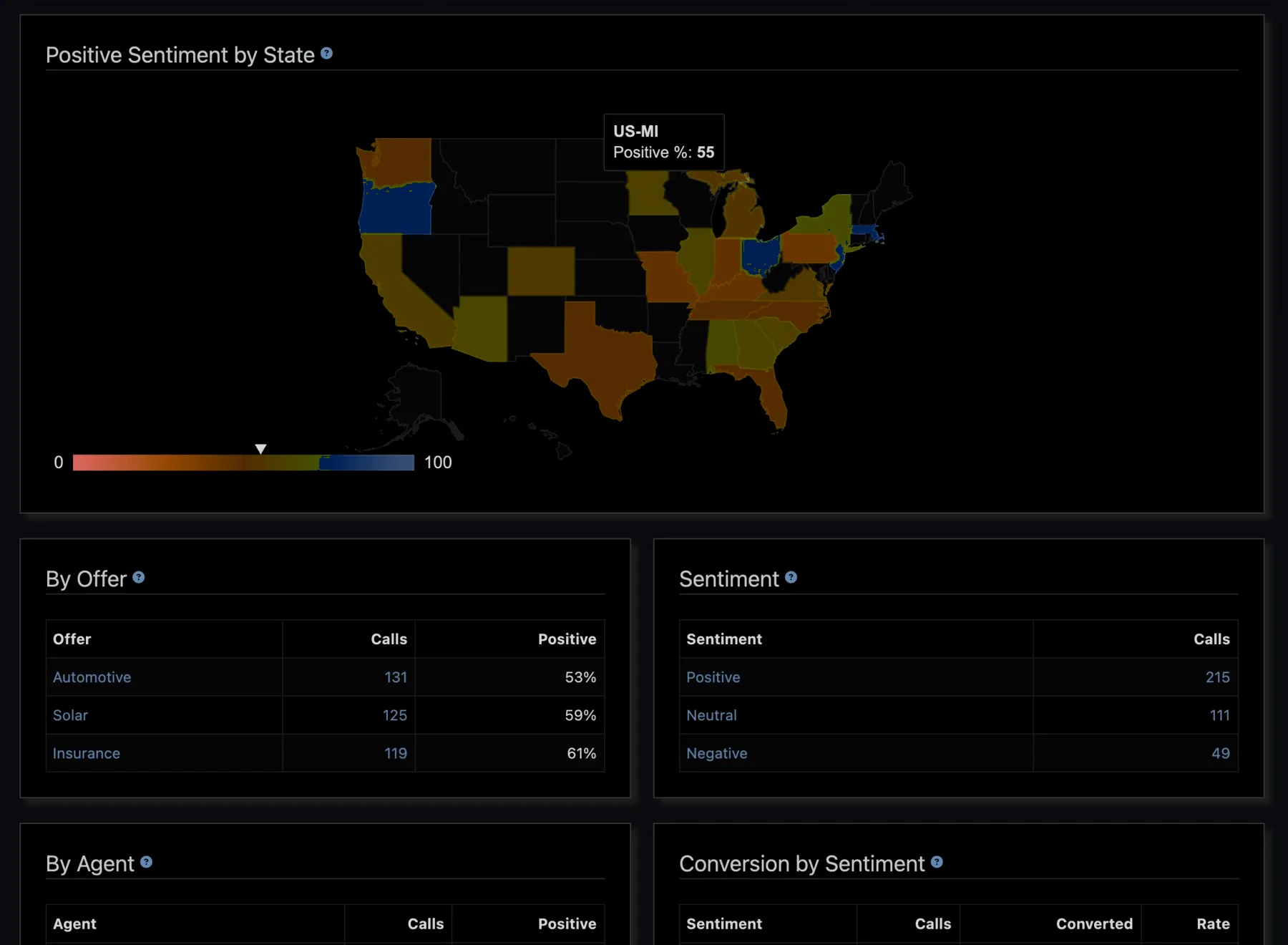
On the map. Positive sentiment by the caller’s state, as a U.S. heat map.
Priced per minute
Cheap enough to run on every call: a per-minute rate for transcribed audio, plus only the AI features you switch on, each priced per minute. Language detection costs nothing, there are no seat or platform fees, and the analytics dashboard itemizes every charge.
Transcribe any audio by API
Calls are not the only input. Send any audio file in one API request and the finished transcript is posted back to the URL you give:
curl -H "Authorization: Basic BASE64_ENCODED_PUBLIC_KEY_AND_PRIVATE_KEY" \
     -H "Content-Type: application/json" \
     -X POST \
     -d '{"caller_id": "+18004506787",
          "file_url": "http://example.com/publicly_accessible_file.mp3",
          "postback_url": "http://example.com/postback_url",
          "data": {"loan_amount": "501", "custom_token": "the_value"}}' \
     "http://[your-subdomain].avortyx.com/api/v1/standalone_transcriptions"
